
Best Hostinger Plan for a Blog
May 02 2026
Hostinger has several plans, and the names do not make it obvious which one suits a blog. I run a WordPress blog with around 40,000 monthly visitors on Hostinger and have tested across its tiers, so I can tell you which plan fits which stage of a blog rather than just listing features. This is the plain answer to which plan to buy.
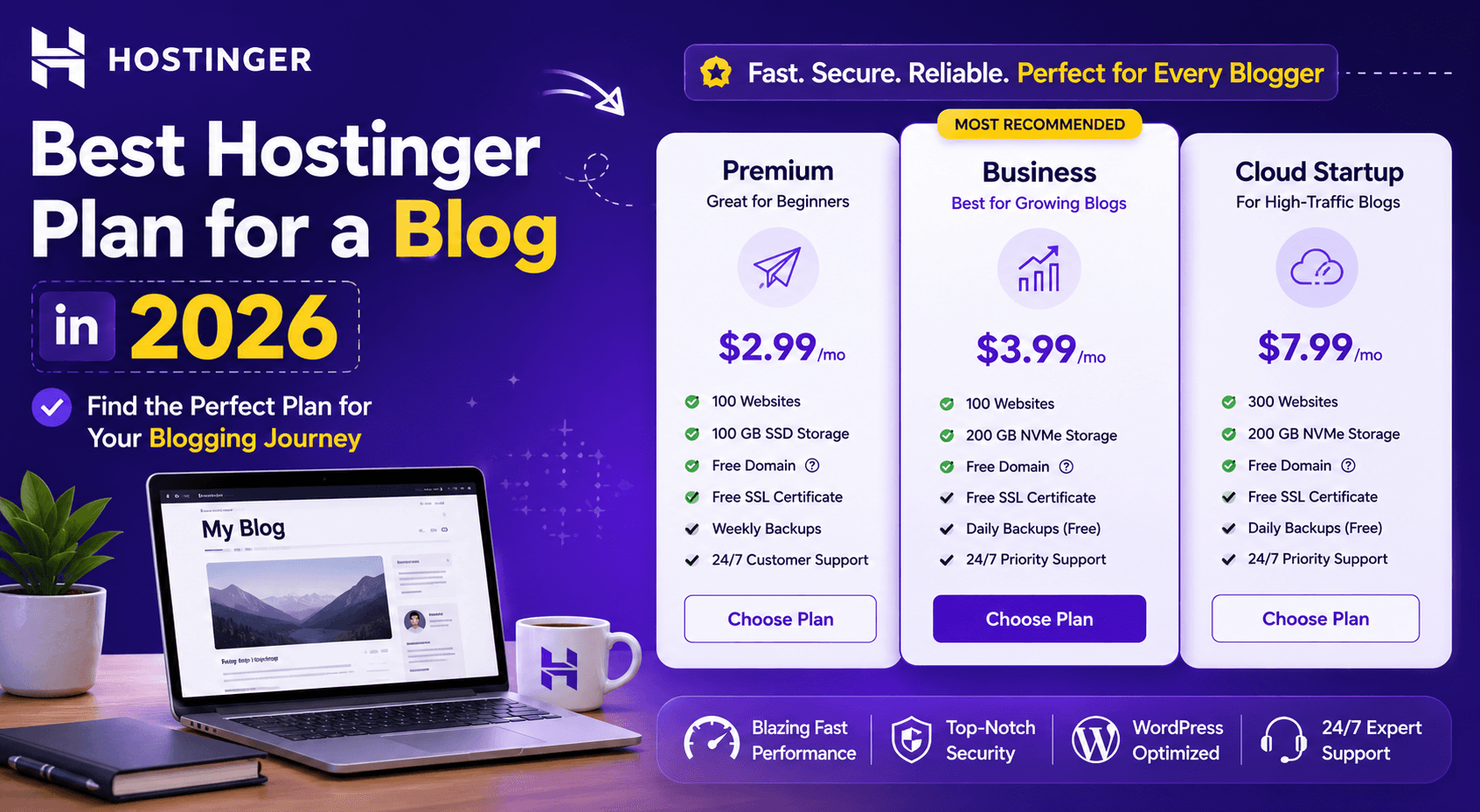
Short version. For a brand new blog, Premium is enough. For a blog you plan to grow, Business is the sweet spot because of staging and daily backups. Only a high-traffic blog needs Cloud. Most bloggers overbuy or underbuy, and this page fixes that.
The plans at a glance
Plan | Best for | Approx intro | Backups |
Premium | New blog | $2.99/mo | Weekly |
Business | Growing blog | $3.99/mo | Daily |
Cloud Startup | High traffic blog | $9.99/mo | Daily |
The full breakdown of every tier and what changes between them is in my Hostinger pricing plans guide. Below is how to choose based on where your blog actually is.
Find Your Ideal Hostinger Plan
If you are starting a new blog
Pick Premium. It includes a free domain for the first year, free SSL, enough storage for a content blog, and the ability to host up to 25 sites. At under $3 a month, it removes the cost excuse for starting. The only thing it lacks that matters is daily backups and staging, which a brand new blog can live without at first.
If your blog is growing
Pick Business. This is the plan I recommend to most serious bloggers. Over Premium it adds daily backups, staging so you can test changes safely, and more resources for higher traffic. The price jump from Premium is small, and the staging feature alone justifies it once you have content you cannot afford to break.
If your blog has high traffic
Pick Cloud Startup. Once you are pulling serious traffic, shared hosting starts to slow down at peak times. Cloud gives you dedicated resources and steadier performance. In my testing, the Cloud plan held a flat 1.2-second load time, where the shared plan drifted under peak load. My data is on the Hostinger uptime and speed test page.
Why staging matters for a blog
Staging lets you clone your blog, test a theme change or a plugin update on the copy, then push it live only if it works. Without staging, you test on the live site and risk taking it down. For a blog with real traffic, this is the feature that prevents a bad afternoon. It starts with the Business plan.
Backup frequency is not a detail
Premium backs up weekly. If you publish often and the site breaks on day six, you lose nearly a week of work. Business and Cloud back up daily, so you lose at most a day. For an active blog, daily backups are worth the upgrade on their own.
Compare Hostinger Blog Hosting Plans
What every blog plan includes
Free SSL so the blog loads securely.
One-click WordPress install.
LiteSpeed caching for speed once configured.
Free domain for the first year on annual plans.
24/7 live chat support.
Common mistakes bloggers make
Two errors come up again and again. The first is buying Cloud for a brand new blog with no traffic, which wastes money. The second is staying on Premium when the blog has grown and needs daily backups and staging. Match the plan to your current stage, and upgrade when traffic or risk demands it.
Start Your Blog with Hostinger
My recommendation
Start on Premium if you are new and testing the idea. Move to Business the moment the blog has content and traffic you care about, because staging and daily backups are worth it. Go to Cloud only when shared hosting slows under your traffic. I run my 40,000-visitor blog comfortably, and the plan choice is what keeps it both cheap and stable. Grab the current discount on my Hostinger coupon code page, and read the long-term notes in my Hostinger review.
Storage needs for a blog
A text and image blog uses far less storage than people expect. Even a few hundred posts with images rarely trouble the 100 GB on Premium. So storage is rarely the reason to upgrade a blog plan. The reasons that actually matter are backup frequency, staging, and resources under traffic. Do not let a big storage number on a higher plan tempt you if your blog does not need the other features.
Traffic thresholds for each plan
As a rough guide from my own testing, Premium comfortably handles a blog up to the low tens of thousands of monthly visitors once caching is on. Business extends that headroom and adds the safety features. Cloud is for blogs pushing high traffic, where shared resources start to strain at peak. My 40,000-visitor blog runs fine, which tells you the shared tiers have real capacity when configured well.
The cost over four years
The intro price is not the whole story, because plans renew at a higher price. Over a four-year horizon, Premium stays the cheapest, Business adds a modest amount for the safety features, and Cloud costs meaningfully more. Work out the renewal cost, not just the intro, before committing. For most blogs, the Business renewal is still low enough that the daily backups and staging are easily worth it.
Choose the Best Hostinger Plan Today
Upgrading and downgrading
You are not locked to your first choice. You can upgrade as the blog grows, and the process does not require rebuilding the site. This means there is no penalty for starting modestly. Begin on the plan that fits today, watch your traffic and your comfort with the backup frequency, and move up when the blog genuinely needs it rather than buying ahead out of caution.
My recommendation in practice
If someone asked me today which plan to buy for a blog, I would ask one question: Do you already have traffic and content you would hate to lose? If no, start on Premium and keep your costs and risk low while you build. If yes, go straight to Business for the daily backups and staging, because at that point, the small extra cost buys real protection. I have run my own blog through exactly this progression, and the only change I would make in hindsight is moving to Business sooner than I did.
Frequently asked questions
What is the best Hostinger plan for a blog?
Premium for a new blog, Business for a growing blog, and Cloud Startup for a high traffic blog. Business is the sweet spot for most serious bloggers.
Is the Premium plan enough for a blog?
Yes, for a new blog. It includes a free domain, SSL, and enough storage. It backs up weekly and lacks staging, which a brand-new blog can manage without at first.
When should I upgrade from Premium to Business?
When your blog has content and traffic, you cannot afford to lose. Business adds daily backups and staging, which protect an active blog from a bad update.
Does a blog need the Cloud plan?
Only at high traffic. Cloud gives dedicated resources and steadier performance under load. A new or mid-sized blog does not need it and should not pay for it.
Do all Hostinger blog plans include a free domain?
Annual Premium, Business, and Cloud plans include a free domain for the first year, after which it renews at the standard rate.