
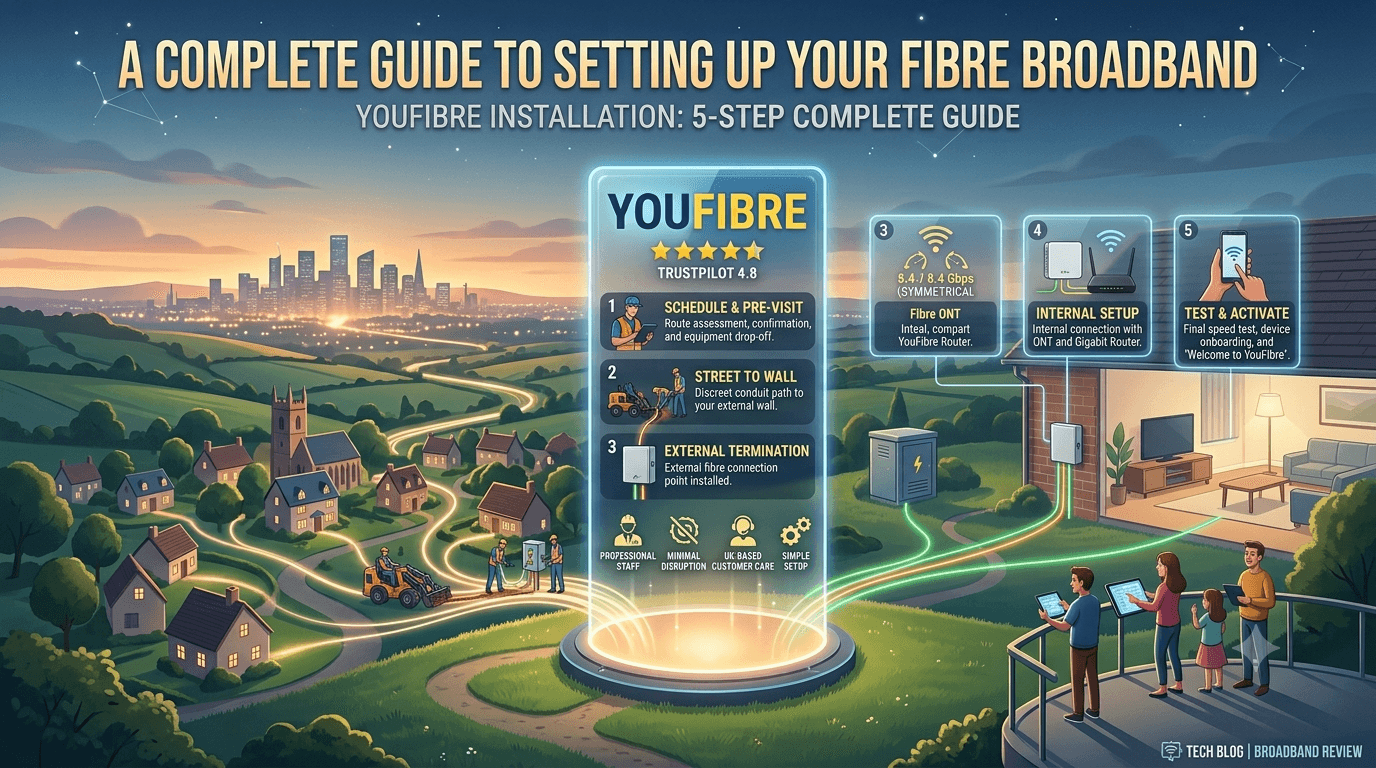
YouFibre Installation Process Explained
Jul 02 2026
Switching to a new broadband provider can feel complicated, especially when installing a full fibre connection for the first time. Understanding what happens during installation can help you prepare your home and make the setup process smoother.
YouFibre uses full fibre broadband technology, delivering fibre directly to your property for faster speeds, improved reliability, and better performance compared with older copper-based connections.
This YouFibre installation guide explains the complete process, including checking availability, booking installation, preparing for the engineer visit, installing equipment, activating your connection, and troubleshooting common issues.
Step 1: Check YouFibre Availability in Your Area
Before starting the installation process, you need to confirm whether YouFibre full fibre broadband is available at your address.
Availability depends on:
Your postcode
Local fibre network coverage
Infrastructure rollout in your area
YouFibre continues expanding its full fibre network across the UK, but coverage is still growing compared with larger providers.
Once availability is confirmed, you can choose a broadband package based on your speed requirements.
Step 2: Choose Your YouFibre Broadband Package
YouFibre offers different speed options designed for different types of households.
Your choice will depend on how you use the internet.
Basic Users
Suitable for:
Browsing websites
Social media
Emails
Light streaming
Families and Remote Workers
Ideal for:
Video meetings
Multiple users
HD and 4K streaming
Cloud applications
Heavy Internet Users
Best for:
Online gaming
Large downloads
Smart homes
Multiple connected devices
Choosing the right speed helps you avoid paying for more bandwidth than you actually need.
Check YouFibre Availability and Book Your Fibre Installation
Step 3: Book Your YouFibre Installation Appointment
After selecting your broadband plan, YouFibre will arrange an installation appointment.
During booking, you may need to provide:
Your address details
Preferred installation date
Access information for the engineer
Installation timeframes can vary depending on your location and whether your home already has fibre infrastructure.
Step 4: Preparing for Your YouFibre Engineer Visit
Before the engineer arrives, there are a few things you can do to make installation easier.
Ensure Access to Installation Areas
The engineer may need access to:
The outside of your property
Internal walls or entry points
Your chosen router location
Choose the Best Router Location
For better Wi-Fi performance, choose a location that is:
Central in your home
Away from thick walls
Away from electronic interference
At an elevated position
Keep Devices Ready
Have your devices available so you can test:
Wi-Fi connection
Internet speed
Device compatibility
Step 5: The YouFibre Installation Day Process
On installation day, a YouFibre engineer will complete several steps to connect your home.
1. Fibre Line Installation
If your property is not already connected, the engineer will install a fibre cable connection.
This may involve:
Connecting fibre from the street network
Installing a fibre entry point
Setting up the required equipment
2. Installing the Fibre Equipment
The engineer will install the equipment needed to convert the fibre signal into an internet connection.
This allows your home network to connect to the YouFibre service.
3. Setting Up Your Router
The router will be connected and configured.
The engineer will check:
Internet connection
Wi-Fi functionality
Basic network performance
4. Testing the Connection
Before completing the installation, the engineer will usually test that everything is working correctly.
Upgrade to Faster Full Fibre Broadband With YouFibre
How Long Does YouFibre Installation Take?
The installation time depends on your property's existing setup.
Typical factors include:
Situation | Expected Time |
Existing fibre connection | Faster setup |
New fibre installation | Longer appointment |
Complex property access | Additional time may be needed |
Most standard installations can usually be completed within a few hours.
What Equipment Does YouFibre Provide?
Your YouFibre setup may include:
Fibre connection equipment
Broadband router
Power adapters
Connection cables
The exact equipment provided may depend on your chosen package and current availability.
Setting Up Your Devices After Installation
Once your broadband is active, connect your devices to your new Wi-Fi network.
You may need to update:
Smartphones
Laptops
Smart TVs
Gaming consoles
Smart home devices
For the best performance:
Use Ethernet connections for gaming consoles and desktop PCs where possible
Place your router in an open location
Restart devices after connecting to the new network
Testing Your YouFibre Broadband Speed
After installation, it is a good idea to check your connection speed.
You can test:
Download speed
Upload speed
Latency
Wi-Fi performance
Remember that Wi-Fi speeds can vary depending on:
Distance from the router
Walls and obstacles
Device capability
For the most accurate result, test using a wired Ethernet connection.
Common YouFibre Installation Problems and Solutions
Wi-Fi Signal Is Weak
Possible solutions:
Move your router to a better location
Remove obstacles around the router
Consider additional Wi-Fi equipment
Broadband Connection Is Not Working
Try:
Restarting your router
Checking cable connections
Waiting a few minutes after activation
Speeds Are Lower Than Expected
Check:
Whether you are testing over Wi-Fi or Ethernet
Number of connected devices
Device limitations
YouFibre Installation vs Traditional Broadband Setup
Feature | YouFibre Full Fibre | Traditional Broadband |
Connection Type | Fibre directly to home | Often copper-based |
Installation | Engineer setup usually required | Often simpler |
Speed Potential | Higher | Limited |
Upload Performance | Faster | Lower |
Long-Term Reliability | Stronger | Depends on infrastructure |
Tips to Get the Best Performance After Installation
Follow these steps to maximise your YouFibre experience:
Place Your Router Correctly
Avoid:
Cupboards
Corners
Behind large furniture
Use Wired Connections When Possible
Ethernet provides:
Lower latency
More stable speeds
Better gaming performance
Keep Your Devices Updated
Updated devices often provide better Wi-Fi compatibility and security.
Compare YouFibre Plans and Find the Right Broadband Package
Frequently Asked Questions About YouFibre Installation
Does YouFibre require an engineer visit?
Yes, full fibre installation usually requires an engineer to connect and activate the service.
How long does YouFibre installation take?
The time depends on whether your property already has fibre infrastructure and the complexity of the installation.
Do I need a new router with YouFibre?
YouFibre provides the required broadband equipment as part of the setup process.
Can I install YouFibre myself?
Full fibre connections generally require professional installation because fibre cables need specialist equipment.
Final Verdict: Is YouFibre Installation Worth It?
The YouFibre installation process is designed to make switching to full fibre broadband straightforward. While a professional installation is required, the benefits of a direct fibre connection include faster speeds, better reliability, and improved performance for modern internet usage.
For households that rely on streaming, gaming, remote working, and multiple connected devices, YouFibre's full fibre setup can provide a significant upgrade over traditional broadband connections.
If YouFibre is available in your area, the installation process is a simple step toward getting faster and more reliable home internet.