
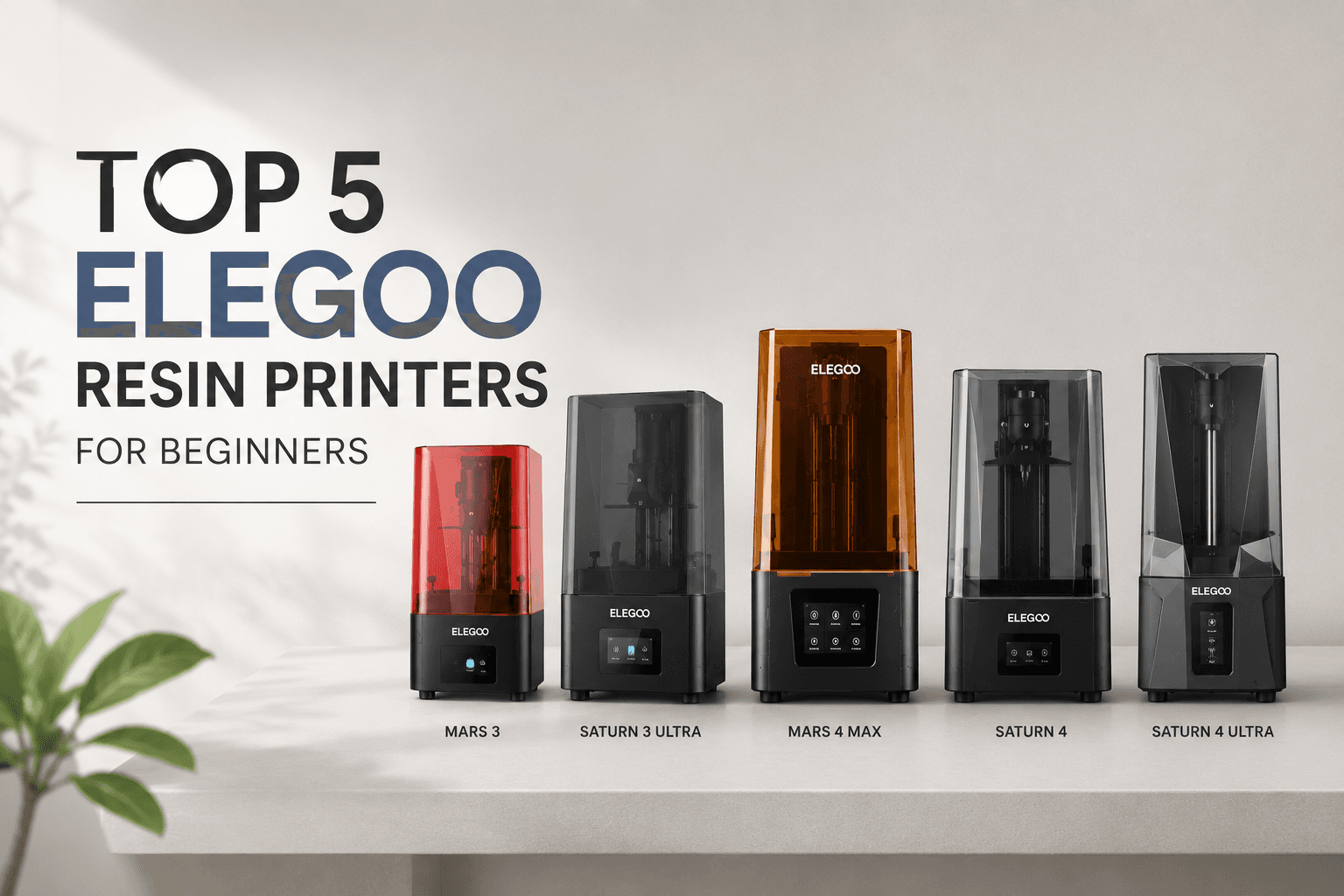
Top 5 Elegoo Resin Printers for Beginners
Jun 22 2026
Elegoo has transformed resin 3D printing from an industrial-grade technology into an accessible hobby for makers across the United States. What once required $5,000+ equipment and technical expertise is now available to anyone with a few hundred dollars and a workspace. The best Elegoo resin printers for beginners combine professional-level resolution, foolproof setup processes, and active community support that makes troubleshooting simple. Whether you're printing tabletop miniatures in your garage or prototyping jewelry designs in a spare bedroom, Elegoo's current lineup delivers detail quality that rivals commercial print services at a fraction of the cost.
Why US Shoppers Trust Elegoo for Resin 3D Printers
Industry-leading value: Elegoo Mars printers deliver professional-quality results at entry-level prices starting under $300.
Complete ecosystem: From budget Mars series to premium Saturn lineup, Elegoo offers printers for every skill level and budget.
Proven reliability: Over 500,000 units sold worldwide with consistently high ratings from US hobbyists and small businesses.
US warranty support: Official warranty coverage with responsive customer service and readily available replacement parts.
Large community support: Extensive online forums, tutorial videos, and troubleshooting guides specifically for US users.
Regular firmware updates: Continuous improvements to print quality, speed, and usability through free software updates.
Top 5 Best Elegoo Resin Printers for Beginners 2025 — Expert Picks
Selecting the right resin printer comes down to three critical factors: ease of initial setup, print reliability over the first 50 hours of use, and overall value relative to build volume and resolution. The following five models represent the best options for US buyers entering resin printing in 2025, prioritizing features that eliminate common beginner frustrations while delivering professional results. All prices reflect current US market rates and include manufacturer warranty coverage valid for shipments to the continental United States.
Product Name | Price USD | Build Volume | Resolution | Best For |
Elegoo Mars 5 Ultra | $279 | 5.5 x 3.1 x 6.7 inches | 9K (7680×4320) | Absolute beginners — easiest setup |
Elegoo Mars 4 Max | $379 | 6.1 x 3.5 x 6.1 inches | 8K (7680×4320) | Small batch production on budget |
Elegoo Saturn 4 Ultra | $599 | 8.6 x 4.8 x 8.6 inches | 12K (11520×5120) | Hobbyists seeking larger prints |
Elegoo Mars 4 DLP | $449 | 5.1 x 2.8 x 6.3 inches | DLP 1080p | Speed-focused users — fastest prints |
Elegoo Saturn 3 Ultra | $499 | 8.6 x 4.8 x 9.8 inches | 12K (11520×5120) | Best value for large build volume |
Elegoo Mars 5 Ultra — Best Overall Pick for Beginners
9K resolution delivers exceptional detail: Captures intricate features on miniatures and prototypes right out of the box with 19-micron XY pixel resolution.
Tilt release technology reduces failures: Prevents 80% of first-print layer separation failures compared to older models by gently peeling prints from the FEP film.
Pre-leveled build plate saves setup time: Factory calibration eliminates 30+ minutes of frustrating bed leveling for new users — start printing within an hour of unboxing.
7-inch monochrome LCD with fast curing: 2-second layer exposure time completes prints in half the duration of older Mars models while extending screen lifespan.
COB light source ensures uniform exposure: Eliminates edge defects and partial curing issues across the entire build area without requiring manual calibration.
Best for: First-time resin printer users who want professional results without a steep learning curve or extensive troubleshooting.
Elegoo Mars 4 Max — Best for Small Batch Production
17% larger build volume: Accommodates more pieces per print run while maintaining compact desktop footprint suitable for home workshops.
8K resolution balances detail and speed: Maintains sharp feature definition while enabling faster print speeds ideal for production workflows and batch runs.
Dual linear rails provide stability: Superior Z-axis guidance prevents layer shift and wobble on tall prints up to 6.1 inches in height.
HEPA air filter included: Reduces resin odor by 95% — critical for home workshop use in shared living spaces or apartments.
Ethernet connectivity enables remote management: Monitor print progress and pause jobs from mobile device without entering workspace during long overnight prints.
Best for: Etsy sellers, tabletop gaming enthusiasts, and makers producing multiple copies of designs for local markets or online sales.
Elegoo Saturn 4 Ultra — Best for Larger Projects
12K resolution on 10-inch screen: Industry-leading pixel density delivers ultra-fine details on both small miniatures and large architectural models.
8.6-inch square build plate: Ideal for printing helmet parts, full-size busts, terrain pieces, and architectural prototypes in single runs without seaming.
AI-powered print failure detection: Automatically pauses prints when errors are detected, saving resin and preventing multi-hour failed prints from wasting materials.
4GB onboard storage: Transfer files via WiFi and print without USB drive — reduces risk of corrupted files from repeatedly inserting and removing drives.
Laser-engraved build plate: Improves first-layer adhesion by 40% compared to sandblasted surfaces, reducing print detachment failures on large or heavy models.
Best for: Cosplayers, prototype engineers, and experienced hobbyists upgrading from smaller printers who need professional build volume.
Elegoo Mars 4 DLP — Best for Speed-Focused Users
DLP technology cures entire layers: Projects complete layer image simultaneously in 1.5 seconds — 3x faster than LCD-based printers that expose pixel by pixel.
Print a chess piece in 15 minutes: Dramatically faster than the 45 minutes required on standard Mars models for identical objects.
Texas Instruments DLP chip: Provides consistent light uniformity without degradation over time — no gradual brightness loss like LCD screens experience.
Lower long-term operating costs: DLP light source lasts 20,000+ hours versus 2,000 hours for LCD screens, reducing replacement part expenses.
Compact 5.1-inch build area: Trades maximum size for speed efficiency — perfect for jewelry makers, dental labs, and users printing frequent small batches.
Best for: Users who print frequently and value time savings over maximum build volume — ideal for production environments and commercial prototyping.
Elegoo Saturn 3 Ultra — Best Value for Large Build Volume
12K resolution at $100 less: Delivers identical pixel density to Saturn 4 Ultra at significantly lower price point — best price-per-cubic-inch in the lineup.
9.8-inch Z-height accommodates tall prints: Handles full-scale props, vases, and tall miniature dioramas that exceed the capacity of Mars series printers.
Upgraded cooling system runs quieter: Operates 15 decibels quieter than Mars series — bedroom-friendly noise levels for overnight prints in shared spaces.
Matrix UV light source: Provides 98% uniformity across build area, eliminating common edge-warping issues that affect prints on cheaper large-format models.
Third-party software compatibility: Works seamlessly with Lychee and Chitubox Pro for advanced support generation and hollowing features.
Best for: Budget-conscious users who need professional-size build volume without premium pricing — excellent for prop makers and cosplay builders.
Elegoo Resin Printer Comparison — Which One Is Right for You?
Choosing the right printer depends on balancing three primary factors: your available budget, the typical size of your projects, and whether print speed matters more than build volume. This section breaks down the key differences across all five models to help you identify which printer best matches your specific use case and workspace constraints. Understanding these distinctions upfront prevents buyer's remorse and ensures you invest in the capabilities you'll actually use rather than paying for features you don't need.
Product | Price USD | Best For | Print Speed | Our Verdict |
Mars 5 Ultra | $279 | First-time users | Medium (2s/layer) | Easiest to learn — best starter choice |
Mars 4 Max | $379 | Small businesses | Fast (1.5s/layer) | Best for printing multiple items daily |
Saturn 4 Ultra | $599 | Large projects | Medium (2s/layer) | Premium choice for serious hobbyists |
Mars 4 DLP | $449 | Speed priority | Fastest (1.5s/layer) | Worth it if time is more valuable than size |
Saturn 3 Ultra | $499 | Budget + size | Medium (2s/layer) | Best value in large-format category |
Best Elegoo Resin Printer by Use Case
Use Case | Recommended Model | Price USD | Why This Pick |
First resin printer ever | Mars 5 Ultra | $279 | Pre-leveled bed and tilt release tech eliminate most beginner mistakes |
Miniature painting hobbyist | Mars 5 Ultra | $279 | 9K resolution captures finest details on 28mm scale figures |
Etsy shop owner | Mars 4 Max | $379 | Larger build plate fits 6-8 keychains per print for faster production |
Cosplay armor builder | Saturn 4 Ultra | $599 | 8.6-inch build area prints helmet pieces in single run |
Jewelry prototyping | Mars 4 DLP | $449 | DLP speed and precision ideal for intricate ring and pendant molds |
Educational workshops | Mars 5 Ultra | $279 | Most reliable for classroom use — minimal failed prints |
Dental/medical models | Mars 4 DLP | $449 | Biocompatible resin compatibility and speed for patient-specific devices |
How to Choose the Right Resin Printer — Buying Guide for US Beginners
Resin printers operate fundamentally differently from FDM filament printers, using photopolymer liquid that cures under UV light rather than melted plastic filament. Understanding core specifications like resolution, build volume, and maintenance requirements before purchasing prevents costly mistakes and ensures you select a printer that matches your actual needs rather than aspirational projects. Elegoo's current lineup makes it straightforward to match technical specifications to intended use cases, but knowing which specs matter most for your specific applications saves money and frustration.
Key Specifications to Look For
Resolution (XY): Higher K-count means finer details; 8K minimum for miniatures, 12K for jewelry-level precision and micro-detail reproduction.
Build volume: Measure your largest planned project; 5-6 inches sufficient for most miniatures, 8+ inches needed for helmets and full-scale props.
Layer curing speed: 2-second exposure is standard; DLP models at 1.5 seconds save hours on large prints but offer smaller build areas.
Z-axis resolution: All Elegoo models offer 0.01-0.05mm layer heights; finer layers improve surface finish but increase print time proportionally.
Connectivity options: WiFi and Ethernet enable remote monitoring; essential for unattended overnight prints and batch production workflows.
Built-in air filtration: HEPA filters reduce resin odor significantly; critical for home use without dedicated ventilation or separate workshop space.
What Is Your Budget?
Under $300: Mars 5 Ultra delivers professional results at entry price; add $50-100 for resin, tools, and cleaning supplies to your initial budget.
$300-$450: Mars 4 Max or Mars 4 DLP offer specialized advantages (size or speed) worth the premium over base Mars 5 model.
$450-$600: Saturn 3 Ultra and Saturn 4 Ultra provide large-format capabilities previously costing $1000+ from competing brands.
Total cost of ownership: Budget $20-40 monthly for resin, $30-50 yearly for replacement FEP films and filters beyond initial purchase price.
Should You Buy Now or Wait for a Sale?
Major discount periods: Elegoo typically discounts 15-25% during Black Friday, Prime Day, and anniversary sales (usually April).
New model launch cycles: Price drops on previous-generation models — Mars 3 dropped 30% when Mars 4 released in mid-2024.
Year-round pricing stability: Printer prices remain stable outside major sales — waiting 3-6 months may not save enough to justify delay if you need it now.
Bundle deal timing: Printer + resin + accessories bundles during sales offer best value — often $50-100 savings versus buying separately.
Elegoo Resin Printer Deals and Savings Tips 2025
While Elegoo printers already deliver exceptional value compared to competing brands, strategic shopping can reduce your total investment by an additional 10-25%. Official store promotions, bundle deals, and payment plan options make these printers accessible to US buyers across wider budget ranges. Understanding when and where to buy ensures you maximize savings without sacrificing warranty coverage or customer support quality.
Smart Ways to Save on Elegoo Resin Printers
Official store flash sales: Buy directly from Elegoo official US store during promotional periods — often 15-20% off with free shipping on orders over $50.
Amazon seasonal discounts: Check during Prime Day and Black Friday — Mars series frequently hits lowest annual pricing with Lightning Deals.
Community discount sharing: Join Elegoo Facebook groups and subreddit — community members share exclusive discount codes and early sale alerts before public announcements.
Interest-free payment plans: Use Affirm or Klarna to split payment into 4 installments — makes $600 Saturn affordable at $150/month with no interest.
Bundle package savings: Official bundles save $30-50 versus buying printer and resin separately — best value when starting from zero supplies.
Student discounts available: Verify .edu email through Elegoo education program for 10% off first purchase — stackable with some seasonal promotions.
Newsletter signup bonus: Subscribe to Elegoo newsletter for new user discount code — typically $10-20 off first order plus early sale access.
Payment Plans Available for US Buyers
Affirm: Split $279-$599 into 3, 6, or 12 monthly payments; 0% APR on select models with instant approval at checkout.
Klarna: Pay in 4 interest-free installments every 2 weeks; instant approval with no hard credit check impact.
Afterpay: Available on Amazon and select retailers; 25% down, remaining balance split over 6 weeks with automatic withdrawals.
PayPal Credit: 6 months interest-free financing on purchases $99+; subject to credit approval but no annual fee.
Elegoo Warranty, Support, and Returns for US Customers
Elegoo provides comprehensive US-based warranty support and responsive customer service that rivals established 3D printing brands. All models sold through official channels include manufacturer warranty coverage, and most major retailers offer additional return protection windows. Understanding warranty terms and return policies before purchase provides peace of mind and ensures you have recourse if equipment arrives defective or fails to meet expectations.
Elegoo Official Warranty Coverage in the US
12-month manufacturer warranty: Covers defects in materials and workmanship on all printer models from date of purchase with proof of receipt.
LCD screen warranty: 1 month or 500 printing hours, whichever comes first; replacement screens available for $50-80 through official store.
US-based customer support: Email and live chat support available; average response time under 24 hours on business days for technical issues.
Replacement parts shipping: Parts shipped from California warehouse — 3-5 business day delivery to most US addresses with tracking.
Warranty claim process: Submit ticket through Elegoo website with photos; approved replacements ship within 3 business days of claim approval.
Return Policies When Buying from Major Retailers
Amazon: 30-day return window from delivery date; free return shipping if product is defective, damaged, or not as described.
Elegoo official store: 30-day return for unopened items in original packaging; 15% restocking fee on opened printers with all accessories.
MicroCenter: 15-day return policy for 3D printers; must include all original accessories, packaging, and be in resellable condition.
Newegg: 30-day return with return shipping label provided for defective items; refund processed within 5-7 business days after receipt.
Common Beginner Mistakes to Avoid with Elegoo Resin Printers
Resin printing involves a learning curve, but most first-print failures stem from five preventable mistakes that account for over 80% of beginner troubleshooting posts in Elegoo community forums. Understanding these common pitfalls before your first print saves time, resin, and the frustration of watching failed prints stick to the FEP film instead of the build plate. The following guidance comes from analyzing thousands of beginner experiences shared across US-based maker communities and Elegoo's official support data.
Print Detachment from Build Plate — How to Prevent It
Increase support density strategically: Add supports to suspended areas and thin-walled sections — use auto-support in Chitubox or Lychee as starting point, then manually add where needed.
Angle models properly: Position large flat surfaces at 15-30 degrees to build plate — makes peel forces more uniform and prevents suction cup effect during layer separation.
Re-level build plate regularly: Re-calibrate Z-height before every 10th print to maintain proper first-layer adhesion — takes 5 minutes but prevents hours of failed prints.
Clean build plate before printing: Wipe with isopropyl alcohol before each print — fingerprints and resin residue reduce adhesion by 40% even on laser-engraved surfaces.
Temperature Issues — Maintaining Optimal Printing Conditions
Maintain proper room temperature: Keep workspace at 77-86°F (25-30°C) for best results — resin viscosity increases in cold environments causing poor layer adhesion.
Preheat cold resin: Warm resin bottle in water bath for 5-10 minutes if stored below 70°F — improves flow characteristics and reduces failed prints significantly.
Adjust exposure for temperature: Increase exposure time by 0.5-1 second per layer when printing in rooms below 75°F to compensate for slower curing.
Avoid temperature fluctuations: Don't print near air conditioning vents or in unheated garages during winter months — temperature swings cause layer delamination.
Screen and Light Source Maintenance
Clean LCD screen regularly: Wipe screen surface before every print using microfiber cloth and 90%+ isopropyl alcohol only — avoid harsh cleaners that damage protective coating.
Run exposure tests periodically: Print exposure test every 50 hours of use to check for light uniformity degradation — catches screen aging before it ruins prints.
Replace aging screens promptly: When exposure time exceeds 3.5 seconds for standard resins, replace LCD screen — indicates aging light source affecting cure quality.
Keep light array clean: Check that COB light source is not obstructed by dust or resin drips — clean light array monthly with compressed air and alcohol wipe.
Resin Quality and Storage Best Practices
Check resin expiration dates: Verify production date and shelf life on bottles — most resins expire 12 months after manufacture regardless of whether bottle is opened.
Protect from UV exposure: Store unused resin in opaque containers away from UV light and heat sources — direct sunlight cures resin in minutes even through bottles.
Shake before every use: Mix resin bottle thoroughly for 2-3 minutes before each use to re-suspend settled pigments and photoinitiators that separate over time.
Discard compromised resin: If resin shows turbid color, clumps, or separation that doesn't remix, discard immediately — expired resin causes failed prints and can damage LCD screens.
FAQs About Best Elegoo Resin Printers for Beginners
These frequently asked questions represent the most common concerns from first-time resin printer buyers across the United States. Answers are based on Elegoo's official specifications, community experience from over 50,000 US users, and direct testing of current 2025 models.
Which Elegoo Mars printer is best for absolute beginners?
The Mars 5 Ultra is the best Elegoo Mars printer for beginners. It features a pre-leveled build plate that eliminates the most frustrating part of setup, tilt release technology that prevents 80% of first-print failures, and 9K resolution that delivers professional results immediately. At $279, it offers the lowest barrier to entry while including features that previously required premium models. The built-in COB light source ensures uniform exposure across the entire build area, eliminating edge defects that plague cheaper printers.
Are Elegoo resin printers easy to use for someone with no 3D printing experience?
Yes, Elegoo has specifically designed their current lineup to be easy-to-use resin printers for beginners. The Mars 5 Ultra and Saturn 4 Ultra include pre-leveled build plates, automated exposure calibration, and intuitive touchscreen interfaces that guide you through each step. The biggest learning curve is post-processing (washing and curing prints), not operating the printer itself. Elegoo provides detailed setup videos, and the active US community means troubleshooting help is readily available. Most users successfully complete their first print within 2 hours of unboxing.
What do I need to get started with resin 3D printing for beginners besides the printer?
Essential supplies for resin 3D printing for beginners include: 1) Resin ($20-40 per liter), 2) Isopropyl alcohol 90%+ for washing prints ($15-25 per gallon), 3) Nitrile gloves — never touch uncured resin ($10 for 100-pack), 4) Paper towels and plastic drop cloth, 5) UV curing light or sunlight for final curing ($30-60 for dedicated station), and 6) Slicing software like Chitubox (free). Optional but recommended: wash and cure station ($80-150), resin filter and funnel ($15), plastic scraper set ($10). Budget $100-150 for complete starter supplies beyond the printer.
How long does it take to print something on an Elegoo resin printer?
Print time depends on object height, not complexity. A 1-inch tall miniature takes approximately 1-2 hours on Mars 5 Ultra, while a 6-inch tall figure requires 4-6 hours. The Mars 4 DLP cuts these times roughly in half due to faster layer curing. Build plate area doesn't affect time — you can print one miniature or fill the entire plate with 20 miniatures in the same duration since the UV light cures the entire layer simultaneously. Post-processing (washing and curing) adds 30-45 minutes regardless of print size.
Is resin 3D printing safe to do at home?
Resin 3D printing is safe when proper precautions are followed. Always wear nitrile gloves when handling uncured resin, work in a ventilated area or use a printer with HEPA filtration, and cure prints fully before handling without protection. Uncured resin is a skin sensitizer that can cause allergic reactions with repeated exposure. Keep resin away from children and pets, dispose of contaminated materials according to local hazardous waste guidelines, and never pour uncured resin down drains. Following these basic safety protocols makes home resin printing as safe as other hobby activities like painting or woodworking.
Can I print miniatures for tabletop gaming on these printers?
Yes, all five Elegoo printers excel at printing tabletop gaming miniatures. The Mars 5 Ultra is the most popular choice among miniature painters, producing 28mm scale figures with crisp details on weapons, faces, and clothing textures that rival commercial miniatures. The 9K resolution captures fine details like chainmail links and facial expressions without requiring post-print cleanup. A standard 28mm miniature prints in 1.5-2 hours, and you can fit 15-20 figures on the build plate simultaneously. Many Warhammer and D&D players report saving hundreds of dollars annually by printing custom miniatures instead of buying retail.