
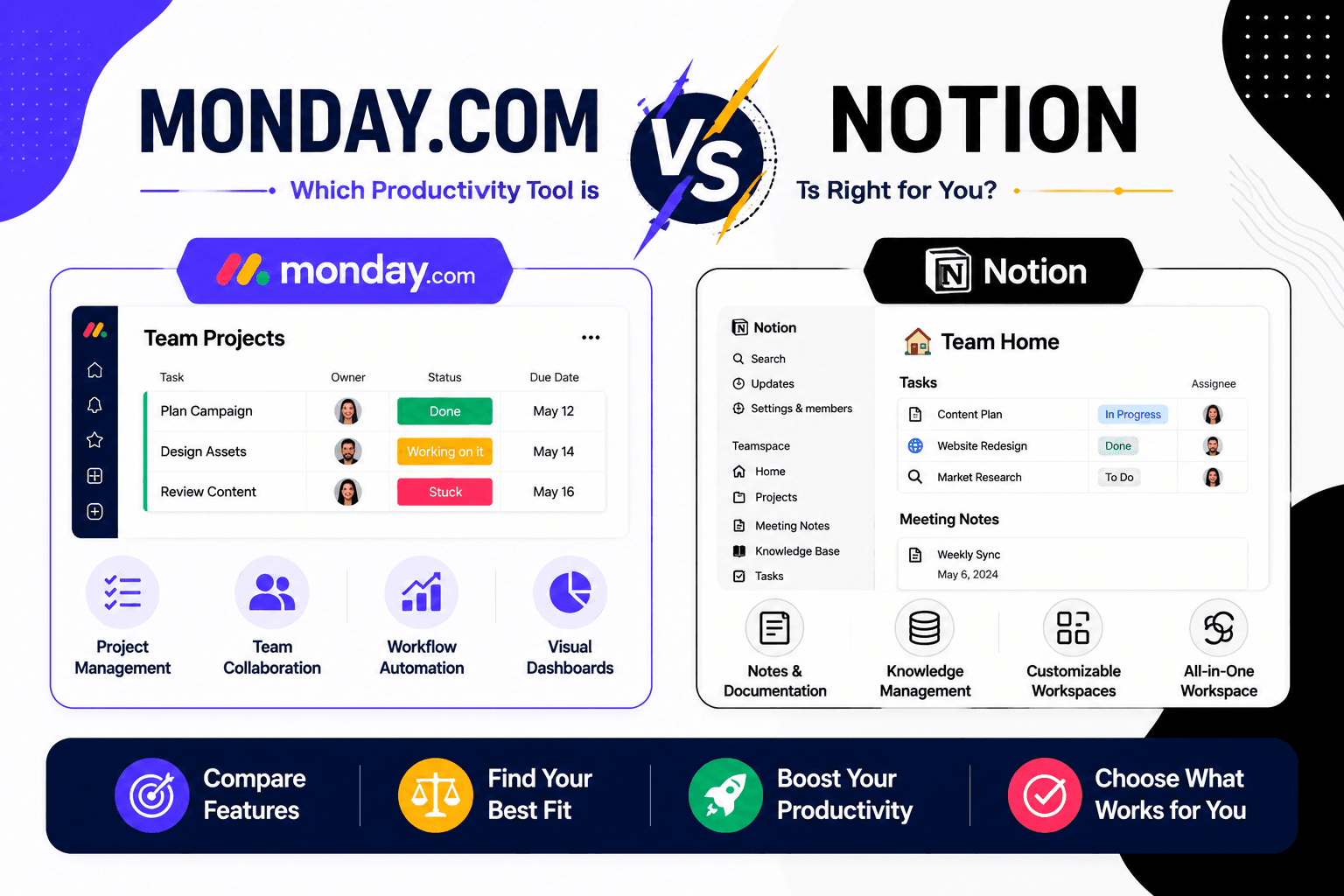
Monday com versus Notion
May 06 2026
At first glance, Monday.com and Notion seem like direct competitors. Both help teams stay organized, collaborate, and manage work online. However, once you start using them, you'll quickly realize they're designed with different goals in mind.
Monday.com is built to help teams plan, track, and execute work efficiently. It's focused on project management, workflow automation, and keeping projects moving from start to finish.
Notion, meanwhile, began as a note-taking and knowledge management platform. While it has evolved into a capable project management tool, its biggest strength remains organizing information through documents, databases, wikis, and collaborative notes.
So, which platform deserves a place in your workflow?
Rather than declaring a single winner, this guide compares where each platform shines, where it falls short, and which type of user will benefit the most.
Quick Comparison
Feature | Monday.com | Notion |
Primary Purpose | Project & workflow management | Knowledge management & productivity |
Ease of Setup | Very Easy | Moderate |
Project Tracking | Excellent | Good |
Documentation | Good | Excellent |
Workflow Automation | Advanced | Basic to Moderate |
Templates | Extensive | Extensive |
Team Collaboration | Excellent | Excellent |
AI Features | Available | Available |
Best For | Teams managing projects | Teams managing information |
The Biggest Difference: Work vs Knowledge
Although both platforms allow you to create tasks and collaborate, they solve different problems.
Choose Monday.com if your priority is:
Delivering projects on time
Tracking deadlines
Assigning responsibilities
Monitoring workloads
Managing clients
Automating repetitive workflows
Everything revolves around getting work done efficiently.
Choose Notion if your priority is:
Writing documentation
Building company wikis
Organizing research
Creating meeting notes
Managing knowledge bases
Keeping information searchable
Everything revolves around capturing and organizing information.
Think of it this way:
Monday.com manages work.
Notion manages knowledge.
User Experience
Monday.com
Monday.com welcomes new users with colorful boards, drag-and-drop editing, and guided templates.
You don't need to spend hours learning the software before creating your first project.
The interface feels polished and intentionally simple.
Best suited for:
Business owners
Marketing teams
HR departments
Agencies
Sales teams
Notion
Notion starts with a blank page.
While this flexibility is one of its biggest advantages, it can also feel intimidating for beginners.
Instead of predefined workflows, you build your own workspace using blocks, pages, and databases.
Once mastered, the possibilities are almost endless.
Best suited for:
Writers
Students
Researchers
Product teams
Documentation-heavy businesses
Winner
Monday.com wins for ease of adoption.
Managing Daily Work
This is where Monday.com clearly separates itself.
It includes dedicated tools for:
Task assignments
Status tracking
Timeline planning
Gantt charts
Workload management
Dashboards
Automations
Time tracking
Projects move through clear stages, making it easy for managers to monitor progress.
Notion also supports project tracking through databases and Kanban boards, but many workflows require manual setup.
For simple projects, it performs well.
For managing dozens of simultaneous projects, it can become difficult to maintain.
Winner
Monday.com
Creating Documentation
Documentation is where Notion truly excels.
Instead of switching between Google Docs, spreadsheets, and notes, teams can create an entire knowledge base inside one workspace.
Popular uses include:
Employee handbooks
SOPs
Product documentation
Meeting notes
Research libraries
Internal wikis
Everything links together seamlessly.
Monday.com supports file sharing and updates, but it isn't designed to replace a full documentation platform.
Winner
Notion
Choose Better Team Collaboration
Customization
Both platforms are highly customizable, but they approach customization differently.
Monday.com lets you customize:
Boards
Statuses
Dashboards
Automations
Workflows
Permissions
Notion lets you customize:
Pages
Databases
Templates
Linked databases
Views
Layouts
Knowledge hubs
If creativity and flexibility are your priorities, Notion offers more freedom.
Winner
Notion
Automation
Automation can significantly reduce repetitive work.
Monday.com includes powerful automation recipes such as:
Automatically assigning tasks
Sending reminders
Updating statuses
Creating recurring work
Moving completed projects
Triggering notifications
Most workflows require only a few clicks.
Notion supports automation too, especially when combined with integrations, but it isn't as workflow-focused.
Winner
Monday.com
Collaboration
Both platforms encourage teamwork, but in different ways.
Monday.com collaboration focuses on:
Task discussions
Mentions
Project updates
Activity history
Shared dashboards
Notion collaboration focuses on:
Editing documents together
Comments
Shared knowledge
Collaborative writing
Linked pages
If your team communicates primarily through projects, Monday.com works better.
If your collaboration revolves around documents, Notion has the advantage.
Winner
Tie
Templates
Both platforms include hundreds of templates.
Monday.com's template library includes:
CRM
Marketing
HR
Sales
Recruitment
Product development
Event planning
Operations
Notion's templates include:
Habit trackers
Journals
Wikis
Reading lists
Study planners
Meeting notes
Business documentation
Content calendars
Winner
Depends on your workflow.
Project templates → Monday.com
Documentation templates → Notion
AI Features
Artificial intelligence has become a major productivity feature.
Monday.com AI helps users:
Generate updates
Summarize work
Assist workflows
Improve automation
Notion AI can:
Write content
Summarize documents
Brainstorm ideas
Translate text
Improve writing
Answer questions from your workspace
Because writing is central to Notion, its AI capabilities feel more integrated into everyday work.
Winner
Notion
Which Platform Scales Better?
As businesses grow, software needs change.
Monday.com scales through:
More users
More projects
Advanced permissions
Enterprise security
Workflow automation
Reporting
Notion scales through:
Larger documentation libraries
Company knowledge bases
Cross-team collaboration
Extensive page linking
If your growth revolves around operations, Monday.com scales more naturally.
If your growth revolves around documentation, Notion shines.
Pros and Cons
Monday.com
Pros
Extremely beginner-friendly
Excellent project tracking
Powerful workflow automation
Great dashboards
Easy workload management
Ideal for business operations
Cons
Documentation features are limited
Advanced functionality requires higher plans
Less flexible for free-form content
Notion
Pros
Outstanding documentation
Highly customizable
Excellent AI writing tools
Beautiful workspace design
Powerful databases
Great for knowledge management
Cons
Steeper learning curve
Project management isn't as structured
Requires more manual setup
Can become messy without organization
Who Should Choose Which?
If You Are... | Better Choice |
Small Business Owner | Monday.com |
Marketing Team | Monday.com |
HR Team | Monday.com |
Agency | Monday.com |
Project Manager | Monday.com |
Student | Notion |
Writer | Notion |
Researcher | Notion |
Product Documentation Team | Notion |
Knowledge Management Team | Notion |
Can You Use Both Together?
Absolutely.
Many businesses actually use both platforms because they serve different purposes.
A common workflow looks like this:
Use Monday.com to manage projects, deadlines, task assignments, and workflows.
Use Notion to store documentation, meeting notes, standard operating procedures (SOPs), and internal knowledge.
This combination allows teams to separate operational work from long-term documentation while keeping both organized.
Final Verdict
Comparing Monday.com and Notion isn't really about choosing the "better" platform; it's about choosing the right tool for the job.
If your day revolves around projects, deadlines, task assignments, and workflow automation, Monday.com is the stronger option. It's built to help teams stay organized, meet deadlines, and manage work at scale with minimal setup.
If your focus is writing, documenting processes, building a company wiki, or organizing knowledge, Notion is hard to beat. Its flexible page structure and powerful databases make it one of the best tools for creating and managing information.
For many growing businesses, the ideal solution isn't choosing one over the other. They use Monday.com to manage execution and Notion to preserve knowledge, creating a workflow that supports both daily operations and long-term documentation.
Frequently Asked Questions
Is Monday.com better than Notion for project management?
Yes. Monday.com offers dedicated project management features such as timelines, dashboards, workload tracking, and advanced automations that make managing projects more efficient.
Can Notion replace Monday.com?
It depends on your needs. Notion can handle simple project management, but businesses with complex workflows and larger teams may find Monday.com better suited for operational work.
Which platform is easier to learn?
Monday.com is generally easier for beginners because it provides ready-made workflows and an intuitive interface, whereas Notion offers more flexibility but requires additional setup.
Which platform is better for documentation?
Notion is the stronger choice for documentation, company wikis, meeting notes, and knowledge management thanks to its page-based structure and database capabilities.
Should I use both Monday.com and Notion?
If your team manages both projects and extensive documentation, using the two platforms together can provide the best of both worlds, Monday.com for execution and Notion for knowledge management.