
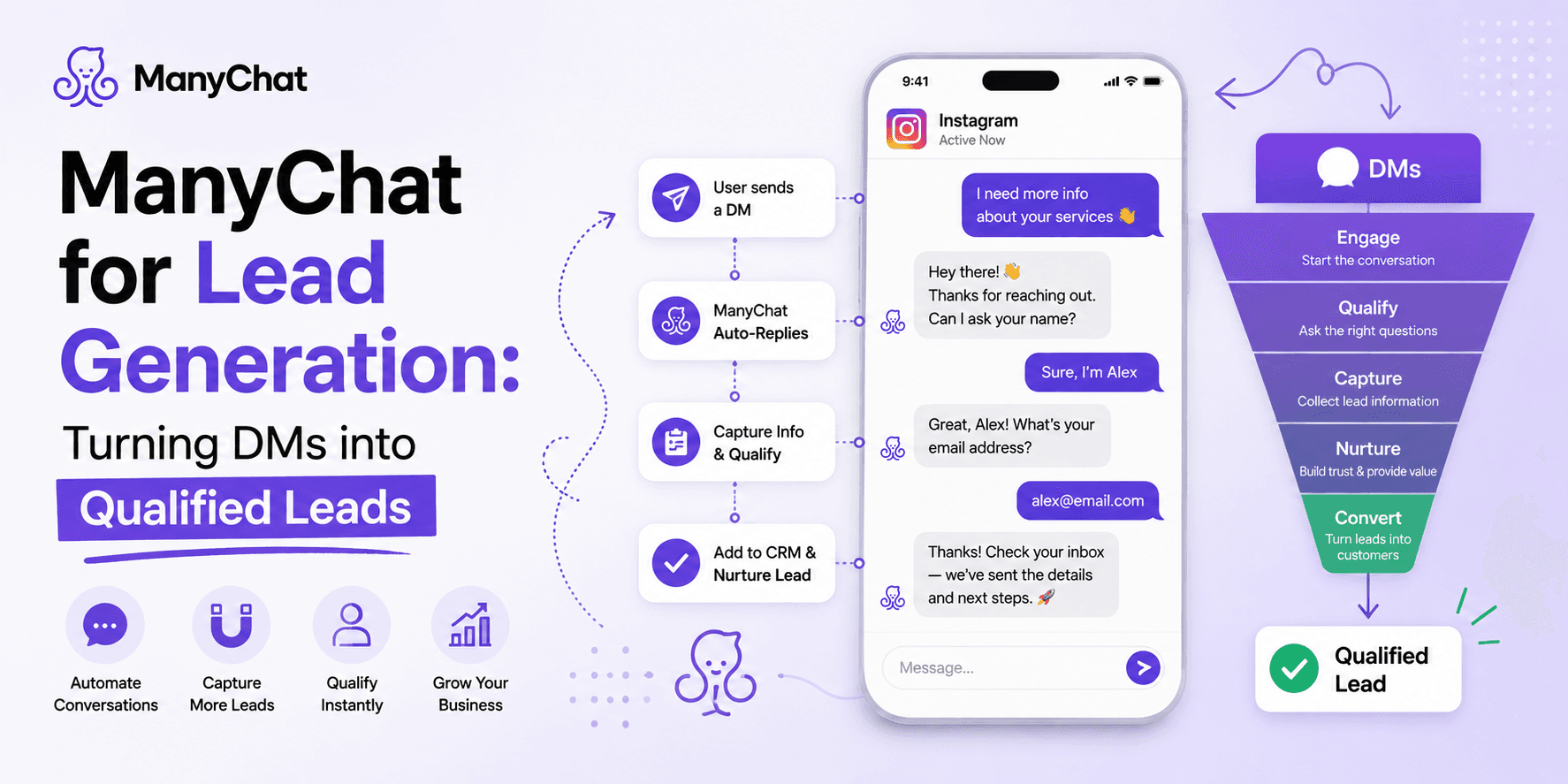
ManyChat for Lead Generation
Jun 15 2026
A ManyChat Educator who's run the platform for six years documented one client campaign that collected 2,602 emails at a 77% conversion rate directly inside DM conversations. That number matters less as a benchmark to hit and more as evidence of the actual mechanism at work: people convert better inside a conversation than inside a form, because a conversation doesn't feel like a form. Separately, industry data on conversational lead capture consistently shows a 40–50% lift over static lead forms for the same offer. This guide covers how to build for that lift on purpose, not by accident.
Why Conversations Out-Convert Forms
A form asks someone to commit before they've engaged. A DM sequence earns commitment one small step at a time — a button tap, then a question, then a contact detail — and each completed step makes the next one easier to take. This is also why WhatsApp specifically performs well for lead capture: the channel has open rates reported above 95%, which is dramatically higher than email, so a qualifying flow sent there is far more likely to actually be seen and answered.
Step 1: Define What "Qualified" Means Before You Build Anything
The most common mistake isn't a technical one — it's building a flow before deciding which 2-3 questions actually separate a real buyer from someone browsing. Vague qualification ("Are you interested?") produces vague segments. Specific qualification produces a list you can actually act on.
Qualifying Signal | What to Ask | Why It Matters |
Budget fit | Price range or spend tier, via buttons not open text | Filters out leads you can't serve profitably |
Timeline | "Looking now" vs. "just researching" | Determines whether a lead goes to immediate outreach or a nurture sequence |
Specific intent | Which product/service/listing they're asking about | Lets you route the lead to the right person or flow instead of a generic reply |
Buttons outperform open text for qualifying questions specifically because they're faster to answer and machine-readable — a typed answer needs a human (or AI) to interpret it before it's usable data; a button tap is already structured data the moment it's clicked.
Step 2: Tag and Store Every Answer
Every button tap or answer should either apply a tag (e.g., "budget-high," "ready-now") or write to a custom field. This is the step that makes qualification useful later — tags are what let you filter your entire contact list for a specific broadcast, sales handoff, or re-engagement campaign, instead of manually re-reading every conversation.
Step 3: Ask for Contact Info After Engagement, Not Before
Requesting an email or phone number as the very first message performs worse than asking after two or three exchanges. People share contact details more readily once they've already invested a little effort in the conversation — this sequencing, more than any copywriting trick, is usually the biggest lever on form-fill rate inside a chat flow.
Step 4: Get Leads Out of ManyChat and Into Where Your Team Works
ManyChat's native integrations cover the basics, but for most CRMs you're routing through an automation layer.
Integration Method | Best For | Trade-off |
Native integrations (Google Sheets, select email platforms) | Simple lists, lightweight tracking | Limited to supported apps only |
Zapier / Make | HubSpot, Salesforce, Pipedrive, and most other CRMs | Adds a small monthly cost and a point of failure to monitor |
Dedicated connector tools (e.g., SaveMyLeads) | Teams wanting managed, no-code CRM sync | Another subscription, but less setup than raw Zapier logic |
Whichever route you use, the tags and custom fields from Step 2 are what actually transfer — an untagged lead arrives in your CRM as just a name, with none of the qualifying context that made the automation worth building in the first place.
Automate Your DMs with ManyChat
Step 5: Route Hot Leads Immediately, Not in a Daily Digest
Set a condition: if a contact hits a specific tag combination (e.g., "ready-now" + "budget-high"), trigger an instant Slack, email, or Live Chat notification rather than waiting for a scheduled export. Response speed is one of the most consistently cited factors in lead conversion across industries — a lead qualified but followed up with hours later converts at a fraction of the rate of one contacted within minutes.
Step 6: Don't Discard the Leads That Aren't Ready Yet
Most flows are built only for the "hot" path and quietly drop everyone else. Tag not-yet-ready leads and route them into a light nurture sequence — a handful of value-driven messages over one to two weeks — so they're warm rather than cold by the time they are ready to buy. Cold-abandoning 70-80% of your inbound interest because it didn't convert on day one is the single most common way businesses undercount ManyChat's actual return.
Common Ways Lead-Gen Flows Underperform
Asking too many questions. Every additional question is a drop-off point. Three sharp questions consistently outperform seven thorough ones.
Treating AI Step as a full sales conversation. ManyChat's AI features are strong for answering trained questions and handling comment threads inside a flow, but they don't hold an open-ended sales conversation — if a lead asks something off-script, you're back to a fallback message. Design qualification flows around structured buttons, not open-ended AI dialogue, if lead quality matters more than novelty.
No re-engagement plan for stalled contacts. A contact who stopped answering mid-flow is still a warm lead, not a dead one — tag where they dropped off and follow up on that specific point rather than restarting the whole sequence.
The Bottom Line
The businesses getting real ROI from ManyChat for lead generation aren't running the most elaborate flows — they're asking sharper questions earlier, tagging consistently, and routing fast. Start with one qualifying sequence, watch which answers actually predict a closed deal over a few weeks, and refine the questions based on that data rather than guesswork.