
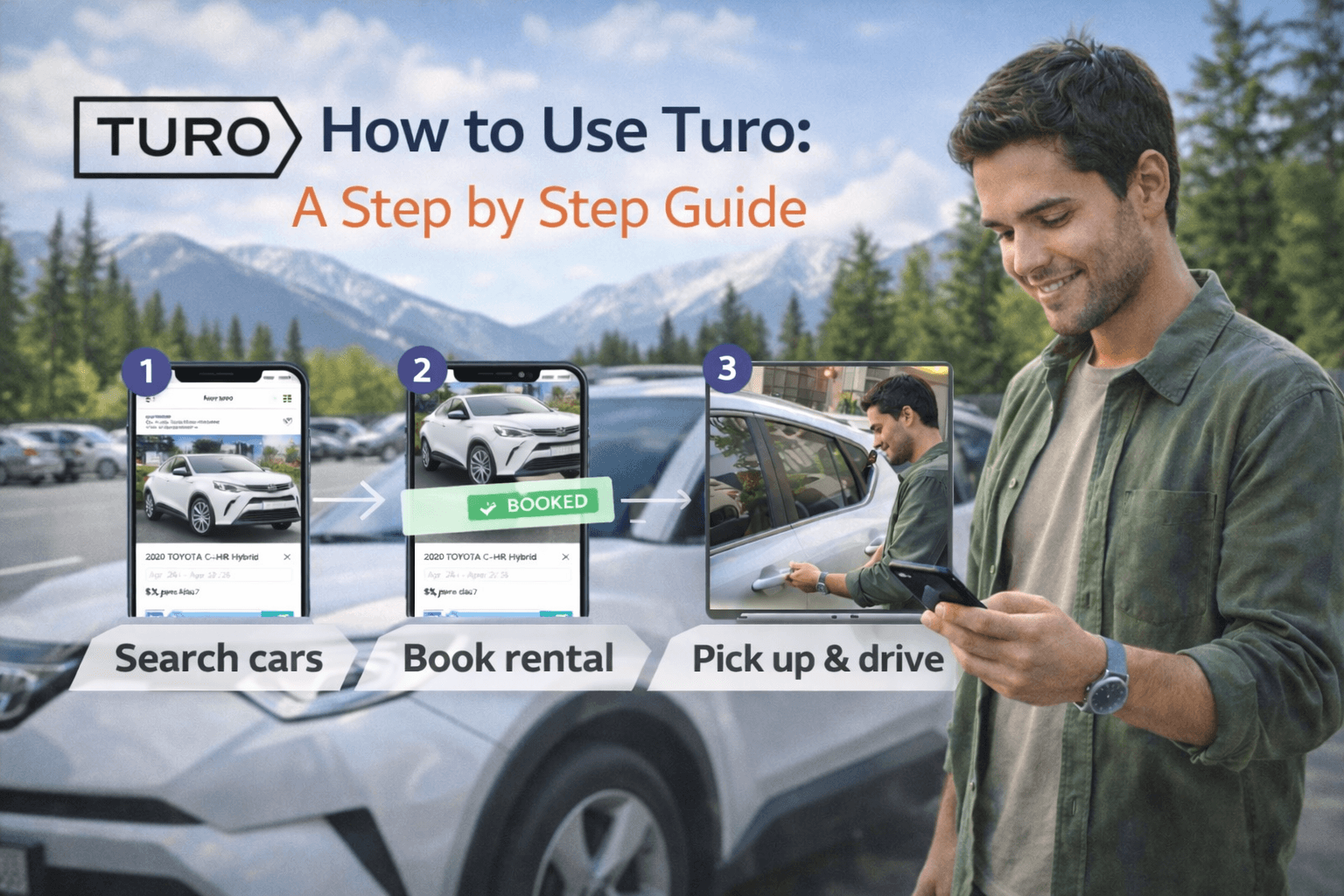
How to Use Turo Step by Step Guide
Jan 07 2026
If you have ever landed after a long flight, walked into the rental car hall, and realized you are about to spend the next hour in a queue just to get “a midsize sedan or similar,” Turo will feel like a cheat code. Turo is an app-based car rental marketplace where you book a specific car from a local host, often with flexible pickup options like airport parking, lockbox handoff, or remote unlock.
This guide is built for Bunchfeed readers who want the practical truth: how Turo works, what it really costs, what to screenshot, what to photograph, what to double check, and how to avoid the common mistakes that turn a “great deal” into a headache.
What is Turo?
Turo is a marketplace that lets you rent cars from local hosts in your city or at your destination, instead of renting from a traditional car rental counter. The basics are:
You pick the exact car you want (not “or similar”).
You coordinate pickup and drop off through the app, with options like in person handoff, lockbox, or remote unlock depending on the host.
You can often pick up at airports and other travel hubs. Turo highlights pickup at airport parking lots and garages at 100+ airports across the US and Canada, with policies varying by airport.
Turo is worth it if you care about any of these
You want a specific model (Tesla, Wrangler, minivan, pickup) for a trip.
You want delivery to a hotel, home, or a convenient spot (when available).
You want to skip the rental counter experience.
You are booking for a weekend, road trip, family trip, or work travel where the vehicle matters.
Turo is not worth it if you want “no thinking required”
If you want the simplest, most standardized experience with the fewest variables, a classic rental company can still be easier. With Turo, the host and the specific vehicle matter. That is a feature, not a bug, but it means you need a tighter booking checklist.
If you want the safe middle ground, read the “Pickup and check in” section and follow it exactly. That is where most issues are prevented.
What you need before you book on Turo
Minimum requirements: age, license, approval
Turo requirements vary by country. On Turo’s “How Turo works” page, they state:
US: 18+
Australia: 21+
Canada: 23+
UK: 21+ (with license duration requirements)
France: 18+ (with license duration requirements, and longer for some vehicles)
You also need a valid driver’s license and you must be approved to drive on Turo, typically via a “quick approval process” when you book your first trip.
Turo also has extra constraints for some vehicles and some age ranges. Their Help Center notes that drivers 18–20 can book only “approved vehicles,” and drivers 21–24 may be restricted from booking “Deluxe” or “Super Deluxe” vehicles.
Can someone else drive?
Yes, but do it the right way. Turo says multiple guests can drive as long as every driver is approved, and the primary driver can add additional drivers in the app.
If you try to “swap drivers” informally, you risk being treated as a no show or violating policy during verification. Turo’s cancellation policy also explicitly mentions scenarios like showing up with no license, an invalid license, or sending another person in your place can trigger a no show outcome.
Step by step: How to Book a Car on Turo
Turo’s official flow is basically three steps: find a car, choose pickup location, then rent and hit the road.
Here is the version that actually works in real life.
Step 1: Search like a strategist, not like a tourist
Put in:
City or airport area
Dates and times (be realistic about landing time and bag pickup)
Delivery vs pickup preference
Then filter for what matters:
Total price range
Mileage included
Number of seats
Features that are non negotiable (CarPlay, snow tires, child seat, etc.)
Step 2: Read the host reviews like you are hiring someone
You are not only renting a car. You are renting a process: pickup, cleanliness, communication, and how problems get handled.
Scan for:
“Easy pickup” mentions
“Car matched photos”
“Host responded quickly”
“No surprise fees”
If reviews repeatedly mention “confusing pickup,” “dirty,” “late,” or “host unresponsive,” do not convince yourself you will be the exception.
Step 3: Choose the pickup method that matches your travel reality
Turo lists multiple pickup and drop off options, including in person handoff, lockbox, or app based remote unlock, depending on the host.
If you are arriving late night, lockbox or remote unlock is often safer because it reduces coordination risk. If you are arriving in a busy airport window, pickup instructions matter even more.
Step 4: Check the full price before you hit book
On Turo, your “day rate” is never the full story. You can see a stack that typically includes:
Trip price
Trip fee (service fee)
Protection plan cost (optional but common)
Young driver fee (if applicable)
Delivery fee (if applicable)
Taxes
Extras (child seat, prepaid cleaning, etc.)
Potential deposit in some scenarios
Independent travel sites have observed that Turo’s trip fee varies by trip, and one Going guide noted ranges they saw around the mid teens percentage in their checks (with variance depending on vehicle and dates).
Treat any exact percentage as non guaranteed. Your app checkout is the source of truth.
Step 5: Pick a protection plan (or consciously decide not to)
Turo says you can choose between Premier, Standard, or Minimum protection plans (availability and eligibility can vary).
We will unpack what that means in the “Protection plans and insurance” section, because most first time users either overpay in panic or under protect and regret it.
Step 6: Book, then message your host with one clean note
After booking, send a single clear message:
Your arrival time
Whether you have checked bags
Your preferred pickup window
Confirmation you will complete verification steps on time
It signals you are organized. It also creates a time stamped record inside Turo messaging, which matters if anything goes sideways.
Fees explained: what you pay for, what you can control
Trip fee
This is the platform service fee that varies by trip. Expect it to change based on factors like location, dates, and vehicle.
If you are comparing Turo vs a rental car site, compare the final checkout total, not the day rate.
Delivery fee
Some hosts offer delivery to airports, hotels, train stations, or custom locations.
Sometimes it is free, sometimes it is not. Delivery can be worth paying for if it saves you an Uber each way plus airport counter time.
Young driver fee
If you are in the younger age bands, budget for this. Turo’s cancellation policy also notes young driver fees are refunded in full in certain cancellation cases.
Extras
Hosts can offer extras like child seats. Keep it simple. Only add what you will actually use. Every extra is one more thing you can forget at return.
Mileage and “additional usage”
Mileage caps vary by listing. If you exceed included mileage or violate usage terms, you can get charged. Turo’s “additional usage policy” notes that if a host charges for additional usage, guests can also be charged a Turo administrative fee and potentially an airport fee if the trip started or ended at an airport.
The lesson: check mileage before you book and do a quick distance estimate.
Click here to start your booking!
Protection plans and insurance
This is where people get confused because it sounds like insurance, but Turo is careful with wording.
What Turo says it is
Turo’s terms state plainly that Turo is not an insurance company and does not insure hosts or guests.
Liability coverage (the “if you hurt someone” part)
Turo’s “How Turo works” page says all trips include coverage under a third party liability insurance policy issued to Turo, with details and state specific notes.
For hosts, Turo’s “Insurance & vehicle protection” page references up to $750,000 in third party liability insurance from Travelers (terms apply), plus varying levels of vehicle protection for the host.
Physical damage protection (the “if the car gets damaged” part)
As a guest, you can choose one of the protection plans (Premier, Standard, Minimum). Turo frames these as ways to limit your out of pocket cost for eligible physical damage.
The practical takeaway:
Premier generally costs more but can reduce your out-of-pocket risk.
Minimum costs less but leaves you with higher potential out of pocket exposure.
What is “eligible” and what exclusions exist matters, so always read what your checkout shows for your trip.
Do you need your own insurance?
Turo says you do not need personal insurance coverage to book a car on Turo.
They also note that in the US, if you do have personal insurance that covers damage to the host’s vehicle, it may apply before your Turo protection plan in many situations.
If you are unsure, the clean approach is: pick the protection plan you can live with, then treat your personal policy (if you have one) as a bonus, not a plan.
Pickup and Check in: The 10 minute Routine
If you do only one thing from this guide, do this.
First, confirm pickup instructions before travel day
Turo says you will receive pickup and drop off instructions from your host once you book, and you check in and chat through the app.
Read them early. Airports especially can be confusing.
Then, do a real inspection before you “accept” the car
Business Insider’s advice for Turo renters includes factoring time to examine the car before you accept the reservation.
Your process:
Walk around the car slowly
Take photos in good light
Capture every existing scratch, curb rash, crack, stain
Photograph the odometer and fuel/charge level
Photograph the interior quickly (seats, dashboard, trunk)
Turo’s trip photo guidance for guests emphasizes taking and uploading photos to document the vehicle’s condition pre trip and post trip within the time windows around trip start and end.
If something feels wrong (dirty or unsafe), do not start the trip
Turo’s cancellation policy states guests may cancel for cleaning or safety concerns at trip start for a full refund if they do not accept the vehicle, do not check in, and immediately contact support to report the issue.
That is your leverage point. Once you check in and drive away, the negotiation gets harder.
During the trip: Mileage, Tolls, Extensions, Problems
Respect mileage and usage rules
If you are road tripping, mileage is the silent killer of “cheap” bookings. Choose listings with the mileage that matches your route.
If you need more time, extend inside the app
Do not do handshake extensions over text message. Keep everything inside Turo so it is recorded and priced correctly.
If the car has an issue
Turo emphasizes 24/7 support and roadside assistance availability.
Use that. Document the issue with photos. Message the host in the app. Keep it clean.
Keep your receipts when relevant
If you pay for something because of a car issue (towing, emergency fix), capture receipts and screenshots. Even if you never need them, you have the record.
Return and Checkout
Most disputes happen at the end because people are trying to catch a flight.
Your checkout routine:
Park where instructed
Take post trip photos in the same angles as your pre trip photos
Photograph fuel/charge level
Photograph odometer
Photograph any new damage immediately and message the host in the app
Turo’s photo guidance stresses documenting condition post trip within the required window.
If you are late, you lose the best evidence. That is why this matters.
Cancellation policy: What is free, What is not
This is the part you should know before you book, not after your plans change.
Turo’s cancellation policy states:
Free cancellation depends on booking time. Guests may cancel free of charge up to 24 hours before scheduled trip start time.
If you book within 24 hours of the trip start time, you have one hour after booking to cancel for free.
Non refundable trips have a 24 hour grace period after booking to cancel for free.
After the free window, refunds become partial and depend on trip length, and Turo describes how fees like protection plans, extras, deposits, young driver fees, and delivery fees are handled in different scenarios.
Practical rule: if your plans are shaky, avoid non refundable discounts. Saving a few dollars is not worth losing flexibility.
Pro Tips to Get Better Cars and Lower Prices on Turo
1) Book earlier than you think
The best hosts get booked. Especially for weekends, holidays, and popular airports.
2) Do not chase the lowest day rate
A low day rate with a high trip fee, strict mileage, and expensive delivery can be a worse deal than a slightly higher day rate with clean terms.
3) Choose pickup methods that reduce coordination risk
Late arrivals and tight connections make in person handoffs fragile. Lockbox or remote unlock often reduces failure points.
4) Use longer trip discounts when it fits
Turo notes many hosts offer discounted prices for weekly and monthly trips.
If you are staying 6 to 8 days, check if pushing to a full week is cheaper overall.
5) Keep everything in app messages
If there is a disagreement, the app history is what matters most.
FAQs: How to use Turo
Is Turo cheaper than a rental car company?
Sometimes. It depends on the all in price including trip fee, protection plan, delivery, and mileage. Compare checkout totals, not day rates.
Do I need my own car insurance to rent on Turo?
Turo says you do not need personal insurance coverage to book a trip, and that trips include liability coverage under a policy issued to Turo.
What age do you have to be to use Turo?
Turo lists 18+ in the US, and higher minimum ages in some other countries.
Can I cancel a Turo trip for free?
Yes, if you are within the free cancellation window. Turo’s policy says up to 24 hours before trip start is generally free, and last minute bookings have a one hour free window after booking.
What should I do at pickup to avoid disputes?
Take pre-trip photos, inspect the car, and do not accept the vehicle if it is dirty or unsafe without contacting support immediately.