
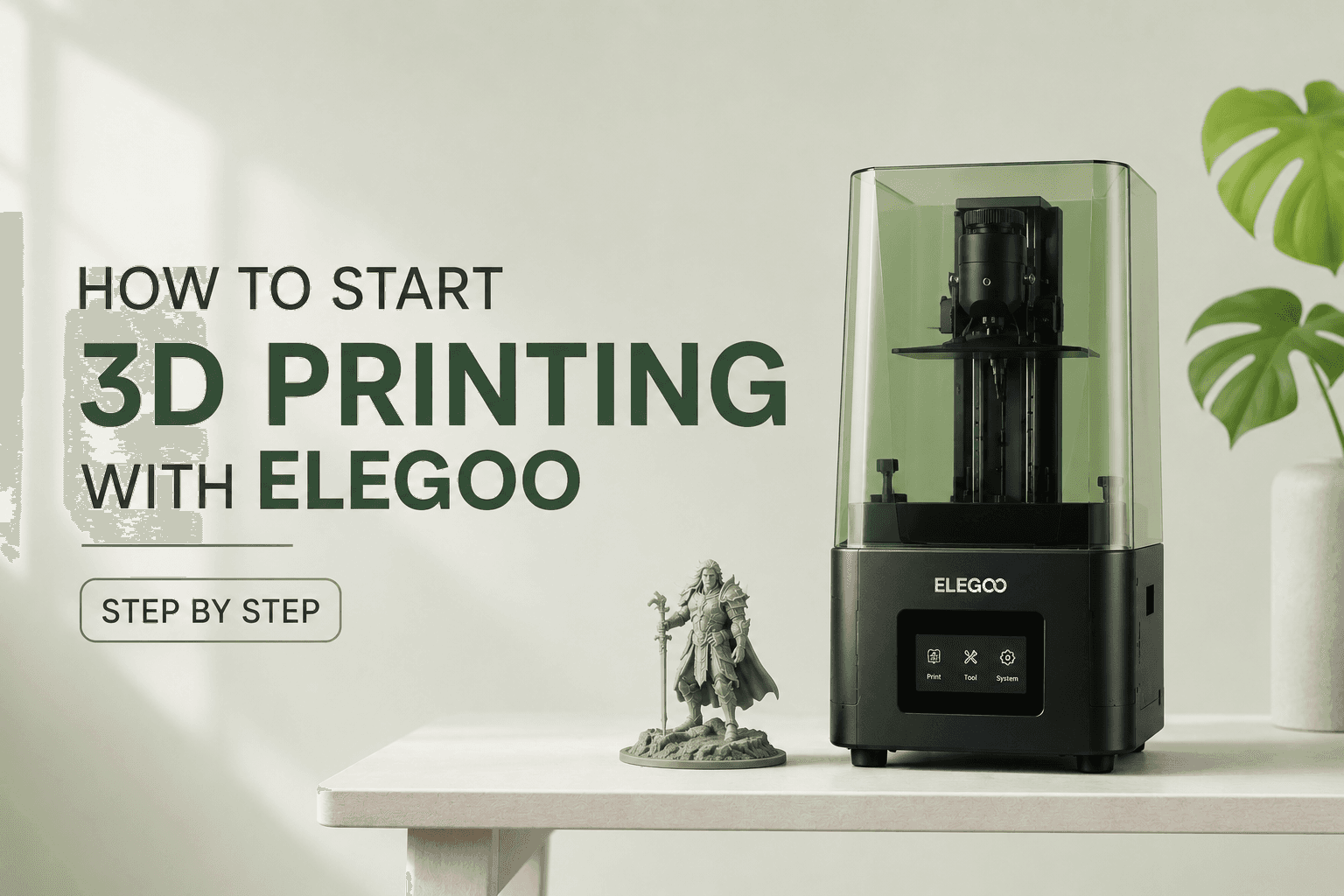
How to Start 3D Printing with Elegoo Step by Step
Jun 22 2026
Starting your 3D printing journey can feel overwhelming, but Elegoo makes it surprisingly accessible for US hobbyists and creators. Whether you're drawn to crafting detailed miniatures, designing functional prototypes, or exploring a new creative outlet, learning how to start 3D printing with Elegoo gives you a clear path from unboxing to your first successful print. Elegoo's lineup of beginner-friendly printers combines affordable pricing with professional features, making them the go-to choice for thousands of first-time 3D printing enthusiasts across the United States.
Why Choose Elegoo to Start 3D Printing in the US
If you're exploring how to start 3D printing with Elegoo, you're tapping into one of the most beginner-friendly brands in the US market. Elegoo has built a reputation for delivering quality printers that don't require engineering expertise or a massive budget, making them ideal for hobbyists ready to dive into this exciting technology without unnecessary complexity.
What Makes Elegoo the Best Choice for Beginners in the US
Beginner-friendly options with minimal assembly required: Plug-and-play models available for users without FDM experience.
Affordable pricing starting from $300 to $600: Best value-for-money brand in the US 3D printing market.
Comprehensive setup guides and tutorials included: Covers unboxing, assembling, and getting started with both FDM and resin printers.
Wide range of printer types: FDM filament-based printers and resin-based printers for different printing needs.
Strong US community support: Active forums, YouTube channels, and user groups sharing tips and troubleshooting advice.
Compatible with multiple materials: PLA for beginners, PETG, TPU, and engineering filaments for advanced users.
Top 7 Elegoo 3D Printers for Beginners in the US — 2025 Picks
Elegoo's 2025 printer lineup offers something for every beginner, whether you're interested in large-scale FDM printing or ultra-detailed resin work. This curated list covers both printer technologies, catering to different budgets, project types, and skill levels so you can find the perfect match for your creative goals.
Product Name | Price USD | Printer Type | Best For | Key Feature |
Elegoo Neptune 3 Pro | $299 | FDM | Budget Beginners | Auto-leveling, PLA compatible |
Elegoo Neptune 4 | $349 | FDM | Intermediate Users | Smart sensors, faster printing |
Elegoo Mars 3 Pro | $299 | Resin | Detail-Focused Beginners | High resolution, compact build |
Elegoo Saturn Series | $499 | Resin | Advanced Detail Work | Larger build volume, 12K resolution |
Elegoo Centauri Carbon 2 Combo | $799 | FDM | Multi-Color Printing | Four-color printing, user-friendly |
Elegoo Neptune 4 Plus | $449 | FDM | Large Projects | 800×800mm build volume |
Elegoo Mars 4 Ultra | $399 | Resin | Professional Quality | Ultra-high detail, 11520×5120 resolution |
Elegoo Neptune 3 Pro — Best Budget FDM Printer
Price: $299 USD
Printer Type: FDM (Fused Deposition Modeling)
Build Volume: 220 × 220 × 250 mm
Auto-leveling feature eliminates manual calibration frustrations: No more tedious bed leveling adjustments for first-time users.
Compatible with PLA, PETG, TPU filaments: Versatile material support lets you experiment beyond basic PLA.
Best For: First-time 3D printing enthusiasts in the US on a tight budget.
Elegoo Mars 3 Pro — Best Entry-Level Resin Printer
Price: $299 USD
Printer Type: Resin-based
Build Volume: 143 × 89 × 175 mm
Incredible detail and smooth surface finish: Ideal for miniatures, jewelry, and figurines.
Beginner-friendly interface with step-by-step setup tutorials: Reduces the learning curve for first-time resin users.
Requires post-processing: Washing and UV curing.
Best For: Hobbyists creating highly detailed models.
Elegoo Neptune 4 — Best for Intermediate Users
Price: $349 USD
Printer Type: FDM
Build Volume: 225 × 225 × 265 mm
Smart sensors track system performance and alert users to issues: Prevents wasted filament from unnoticed print failures.
Automatic bed leveling and calibration reduce setup time: Get printing faster without manual adjustments.
Faster printing speeds compared to Neptune 3 Pro: Complete projects in less time without sacrificing quality.
Best For: Users with some FDM experience wanting faster, smarter printing.
Elegoo Saturn Series — Best for Advanced Resin Printing
Price: $499 USD
Printer Type: Resin
Build Volume: 196 × 122 × 200 mm
12K resolution delivers ultra-high detail prints: Captures the finest surface textures and intricate geometries.
Larger build plate accommodates bigger models: Print larger figurines or multiple small models simultaneously.
Ideal for professional-quality figurines, prototypes, and intricate designs: Matches industrial printer output at a fraction of the cost.
Best For: Advanced users and small business creators in the US.
Elegoo Centauri Carbon 2 Combo — Best for Multi-Color Projects
Price: $799 USD
Printer Type: FDM
Four-color printing capability in one print job: Eliminates manual filament swaps mid-print.
User-friendly interface suitable for beginners exploring color printing: Simplifies multi-material workflow.
Reasonably priced for multi-color functionality: Costs thousands less than comparable multi-material systems.
Best For: Creators wanting vibrant, multi-colored prints without manual filament swaps.
Elegoo Neptune 4 Plus — Best for Large-Format Printing
Price: $449 USD
Printer Type: FDM
Build Volume: 320 × 320 × 400 mm
Perfect for large props, mechanical parts, or prototypes: No need to split models into smaller pieces.
Faster printing speeds suited for high-volume projects: Reduce total print time for large objects.
Best For: Artists, engineers, and prop makers needing larger build volumes.
Elegoo Mars 4 Ultra — Best for Professional Detail
Price: $399 USD
Printer Type: Resin
Resolution: 11520 × 5120 pixels
Delivers professional-grade detail rivaling industrial printers: Captures microscopic surface textures invisible to the naked eye.
Smooth surfaces require minimal post-processing sanding: Saves hours of cleanup work on finished prints.
Best For: Jewelry designers, dental model creators, and professional miniature painters in the US.
Best Budget Elegoo 3D Printers Under $400 in the US
Breaking into 3D printing doesn't require a premium investment. These budget-friendly Elegoo printers under $400 deliver professional features and impressive print quality, making them perfect entry points for US shoppers who want to explore this technology without financial risk.
Product Name | Price USD | Printer Type | Key Feature |
Elegoo Neptune 3 Pro | $299 | FDM | Auto-leveling, PLA compatible |
Elegoo Mars 3 Pro | $299 | Resin | High-resolution detail printing |
Elegoo Neptune 4 | $349 | FDM | Smart sensors, automatic calibration |
Elegoo Mars 4 Ultra | $399 | Resin | Ultra-high 11520×5120 resolution |
These budget picks prove that you don't need premium pricing to access professional 3D printing features. Each model offers excellent value for money, giving US hobbyists a solid foundation to develop their skills before considering more advanced systems.
Elegoo 3D Printer Comparison — Which One Is Right for You?
Choosing the right Elegoo printer depends on your specific project needs, budget constraints, and willingness to handle post-processing tasks. This comparison guide helps US shoppers match their creative goals with the printer that will deliver the best results.
Quick Comparison — All 7 Elegoo Printers at a Glance
Product | Price USD | Best For | Our Verdict |
Neptune 3 Pro | $299 | Budget Beginners | Best entry FDM printer for US hobbyists |
Neptune 4 | $349 | Intermediate Users | Smart features justify the price bump |
Mars 3 Pro | $299 | Detail Printing | Best resin printer under $300 |
Saturn Series | $499 | Advanced Resin Work | Professional detail for serious creators |
Centauri Carbon 2 | $799 | Multi-Color Projects | Best value for color printing |
Neptune 4 Plus | $449 | Large Prints | Ideal for props and prototypes |
Mars 4 Ultra | $399 | Pro Detail | Rivals industrial printers at fraction of cost |
Best Elegoo Printer by Use Case — Quick Recommendation Guide
Use Case | Recommended Product | Price USD | Why This Pick |
First-Time Printer | Neptune 3 Pro | $299 | Auto-leveling removes setup frustration |
Miniature Painting | Mars 3 Pro | $299 | Incredible detail for figurines |
Professional Jewelry | Mars 4 Ultra | $399 | Ultra-high resolution for precision |
Large Props | Neptune 4 Plus | $449 | Largest build volume in lineup |
Multi-Color Art | Centauri Carbon 2 | $799 | Four-color capability in one print |
Budget Resin Printing | Mars 3 Pro | $299 | Best resin value under $300 |
How to Choose the Right Elegoo 3D Printer — Buying Guide for US Shoppers
Selecting your first Elegoo printer requires balancing several key factors: printer technology, budget, project scale, material compatibility, and your tolerance for post-processing work. Understanding these decision points ensures you invest in a printer that matches your creative ambitions and practical constraints.
Decide between FDM and resin: FDM uses filament and suits functional parts; resin offers incredible detail for miniatures and jewelry.
Consider your budget: Elegoo printers range from $299 for entry models to $799 for advanced multi-color systems.
Check build volume size: Compact printers under 200×200mm for small projects; large-format 800×800mm+ for props and prototypes.
Evaluate material compatibility: PLA for beginners; PETG, TPU, and engineering filaments for advanced FDM users.
Assess post-processing tolerance: FDM requires minimal cleanup; resin demands washing, curing, and proper ventilation.
Look for beginner-friendly features: Auto-leveling, smart sensors, and automatic calibration reduce setup frustration.
Verify safety requirements: Resin printing requires gloves, mask, and well-ventilated workspace; FDM needs basic ventilation only.
FDM vs Resin — Which Printer Type Should You Choose?
FDM (Filament-Based): Uses spools of plastic filament; ideal for functional parts, prototypes, and larger objects; minimal post-processing; safer for home use.
Resin (Photosensitive Liquid): Uses liquid resin cured by UV light; delivers ultra-high detail and smooth surfaces; requires washing, curing, and PPE; best for miniatures, jewelry, dental models.
What Is Your Budget and Project Scale?
Under $300: Neptune 3 Pro or Mars 3 Pro — best entry points for FDM and resin.
$300-$500: Neptune 4, Saturn Series, or Mars 4 Ultra — intermediate features and larger builds.
$500+: Centauri Carbon 2 Combo or Neptune 4 Plus — advanced multi-color or large-format printing.
Key Specifications to Look For in Elegoo Printers
Build Plate Leveling: Auto-leveling models (Neptune 3 Pro, Neptune 4) eliminate manual calibration errors.
Print Resolution: Resin printers offer resolutions up to 11520×5120 for professional detail; FDM resolution varies by nozzle size.
Material Compatibility: Reinforced nozzles on FDM models handle PLA, PETG, TPU, and engineering filaments.
Assembly Ease: Plug-and-play models require minimal setup; moderate assembly models need 1-2 hours.
Safety Features: Enclosed resin printers reduce fume exposure; FDM models require basic ventilation only.
Step-by-Step Elegoo Printer Setup Guide for Beginners
Setting up your first Elegoo printer is simpler than you might expect, thanks to comprehensive guides covering every step from unboxing to your first successful print. Both FDM and resin printers follow clear setup procedures, though resin models require additional safety precautions and post-processing equipment.
How to Set Up Your Elegoo FDM Printer — 3D Printing Tutorial
Unbox your Elegoo FDM printer and verify all components are included: Refer to the packing list in the manual.
Assemble the frame following the step-by-step guide: Most models require 30-60 minutes for assembly.
Level the build plate using the auto-leveling feature (Neptune 3 Pro, Neptune 4) or manual leveling instructions: Proper leveling prevents adhesion failures.
Load PLA filament into the extruder: Insert filament until it feeds through the nozzle.
Download and install slicing software (Cura or PrusaSlicer) to convert 3D models into printable files: Free software available for Windows and Mac.
Run a test print using the pre-loaded sample file: This verifies proper calibration and setup.
Adjust print settings as needed based on test print results: Fine-tune temperature, speed, and layer height.
How to Set Up Your Elegoo Resin Printer — Resin Printing Guide
Unbox your resin printer and set it up in a well-ventilated area: Resin fumes require proper airflow.
Put on safety gear: Nitrile gloves and respirator mask are essential before handling resin.
Level the build plate carefully: Resin printing requires precise leveling to prevent print failures due to suction pressure.
Pour photosensitive resin into the vat: Avoid overfilling and prevent spills.
Load a test model into the slicing software (ChiTuBox) and slice it for your printer: Free software optimized for Elegoo resin printers.
Start the test print and monitor the first few layers: Ensure proper adhesion to the build plate.
After printing, wash the print in isopropyl alcohol (IPA) for 5-10 minutes, then cure under UV light for 2-5 minutes: Critical steps for achieving final hardness and strength.
Remove supports carefully and perform final sanding if needed for smooth finish: Use flush cutters to minimize surface marks.
Essential Equipment for Resin Printing Post-Processing
Washing station with isopropyl alcohol (IPA): Removes uncured resin from prints.
UV curing station: Hardens resin prints to final strength.
Nitrile gloves and respirator mask: Protects skin and lungs from resin exposure.
Scraper tool and tweezers: Removes prints from build plate and cleans supports.
Ventilation fan or fume extractor: Essential for safe resin printing at home.
Smart Ways to Save on Elegoo 3D Printers in the US
Strategic timing and payment flexibility can significantly reduce your investment in an Elegoo printer. US shoppers have multiple options to secure better pricing through seasonal sales, installment plans, and bundle offers that add substantial value beyond the base printer price.
Wait for Black Friday, Cyber Monday, or Amazon Prime Day: Elegoo printers see discounts of 15-30% during major US sales events.
Use Affirm, Klarna, or Afterpay to split the cost into interest-free installments: Ideal for printers above $400.
Check for bundle deals: Some Elegoo models include free resin, extra build plates, or tool kits worth $50-100.
Sign up for Elegoo newsletter for exclusive new user discounts and early sale access: First-time buyers often receive welcome codes.
Compare prices across Amazon, Elegoo official site, and US retailers like MicroCenter before buying: Prices can vary by $20-50 between sellers.
Best Time to Buy Elegoo 3D Printers in the US
Black Friday (late November): Deepest discounts of the year — up to 30% off select models.
Amazon Prime Day (July): Exclusive deals for Prime members — typically 15-25% off.
Back to School (August-September): Student-focused promotions on entry-level FDM printers.
Cyber Monday (late November): Online-only flash sales on resin printers and bundles.
FAQs About Starting 3D Printing with Elegoo
These frequently asked questions address the most common concerns US beginners have when exploring Elegoo 3D printing for the first time.
What is the best Elegoo 3D printer for beginners in the US?
The Elegoo Neptune 3 Pro is the best FDM printer for beginners at $299, offering auto-leveling and PLA compatibility. For resin printing, the Mars 3 Pro delivers incredible detail at the same price point.
Do I need special safety equipment for Elegoo resin printers?
Yes. Resin printing requires nitrile gloves, a respirator mask, and a well-ventilated workspace. Photosensitive resin can irritate skin and lungs, so proper PPE is essential before handling resin or cleaning prints.
How long does it take to assemble an Elegoo FDM printer?
Most Elegoo FDM printers require 30-60 minutes of assembly. Models like the Neptune 3 Pro and Neptune 4 include comprehensive step-by-step guides, and auto-leveling features reduce initial setup time significantly.
Can I use Elegoo printers with third-party filament or resin?
Yes. Elegoo FDM printers support standard 1.75mm filament from any manufacturer including PLA, PETG, and TPU. Elegoo resin printers work with most 405nm UV resin brands, though Elegoo-branded resin is optimized for best results.
What is the difference between FDM and resin 3D printing?
FDM uses plastic filament extruded through a heated nozzle, ideal for functional parts and larger prints with minimal post-processing. Resin uses liquid photosensitive resin cured by UV light, delivering ultra-high detail perfect for miniatures and jewelry but requiring washing and curing.
Where can I buy Elegoo 3D printers in the US?
Elegoo printers are available on Amazon US, the official Elegoo website, and US retailers like MicroCenter. Prices start at $299 for entry models. Check for seasonal sales during Black Friday, Prime Day, or Cyber Monday for best discounts.